
Text messages: register your restaurant (SMS)
Order confirmations and payment links by text. US carriers require a registration: here is every step.
What customers get
When a customer agrees on the call (or ticks the box in your website chat), they get a text confirming the order and, if they choose to pay by link, a secure payment link. Never marketing.
Before any text, the AI asks: “Would you like [your restaurant] to text your order details to that number? It’s usually 1 to 2 texts per order. Message and data rates may apply. Reply HELP for help or STOP to opt out anytime.”
1. Add the SMS notice to your website first
Carriers check your own website before they approve your texts. Callonia hosts your SMS Terms and SMS Privacy pages; you only paste a short notice that links to them.
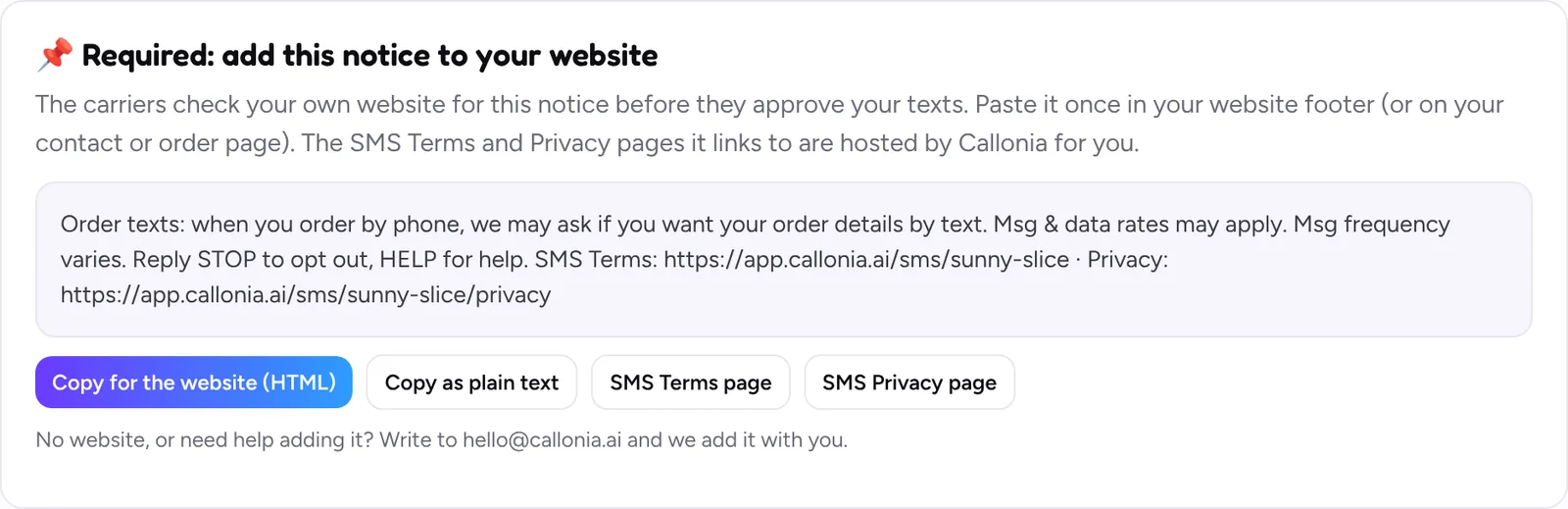
- Open Text messages. In “Required: add this notice to your website”, click Copy for the website (HTML).
- Paste it in your website footer, so it shows on every page. WordPress: your theme’s footer or integration settings, or a “header and footer code” plugin. Wix, Squarespace and GoDaddy: their custom code or footer section.
- Open your website and check the notice shows at the bottom, with working SMS Terms and SMS Privacy Policy links.
This is how it looks on a restaurant website:

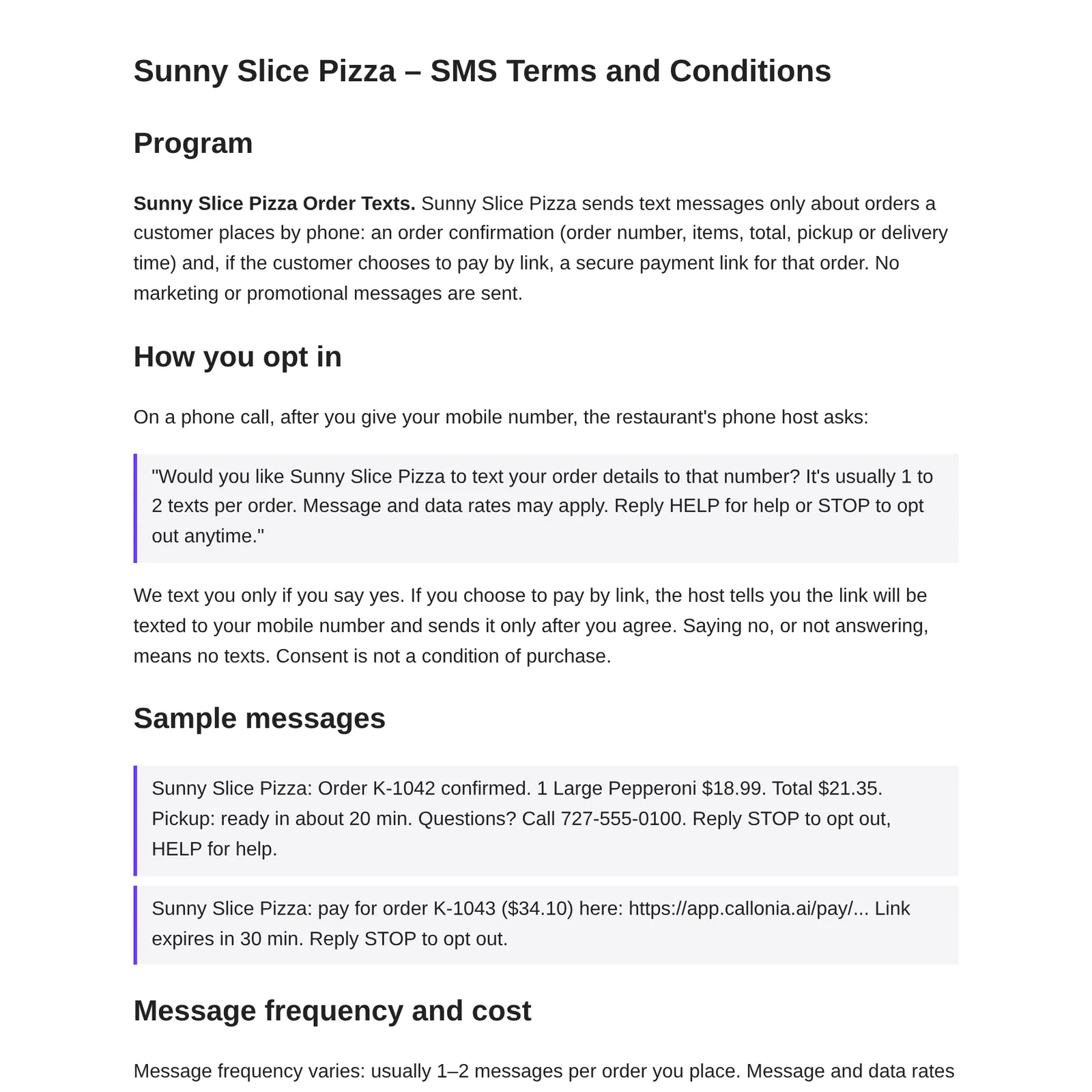
And this is the SMS Terms page Callonia hosts for you:
2. Send your business details

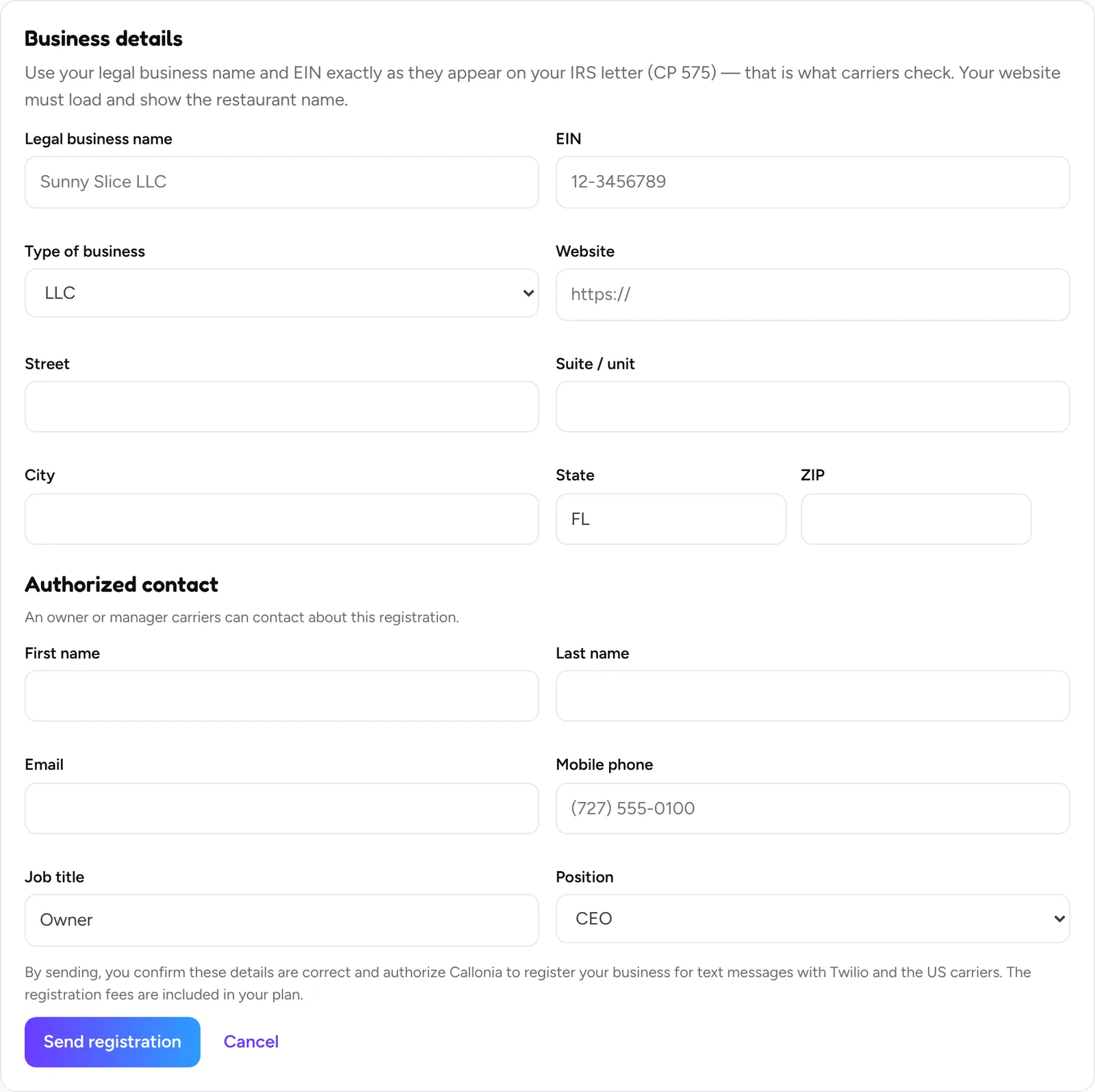
- Click Turn on text messages.
- Write your legal business name and EIN exactly as on your IRS letter (CP 575). That is what carriers compare.
- Website: your restaurant’s website, the one with the notice from step 1.
- Add the business address and an authorized contact (owner or manager), then click Send registration.
Before sending anything, Callonia opens your website and checks the notice is there. If it can’t find it, it tells you and nothing is sent, so you don’t lose time on a registration that would be rejected.
3. Wait for the approval
- Brand review, then campaign review: usually a few days, sometimes up to a few weeks. Callonia checks every 15 minutes and emails you when it changes.
- Needs a fix: the page tells you what to correct (often the EIN or legal name). Correct it and send again.
- Approved: order texts start on their own. Until then everything else works, only the texts wait.
Good to know
- Turn on your website chat in your registration only when the chat is really on your website (see “Website chat”). Carriers check every claim against your site.
- Customers reply STOP to stop texts and HELP for help. The registration fees are included in your plan.
Still stuck? Write to [email protected] with your restaurant name and we’ll get back to you.