Manager PINs: refunds, cancels and credits
Only a manager can give money back. Set the main PIN, then give each manager their own.
Why a PIN
Refunding to the card, cancelling an order or giving store credit, on the kitchen tablet or in the panel, always asks for a manager PIN. A leaked tablet link or a curious employee can see orders but can’t give money back.
Only your restaurant sets its PINs. Callonia support cannot see, set or change them.
1. Set the main PIN
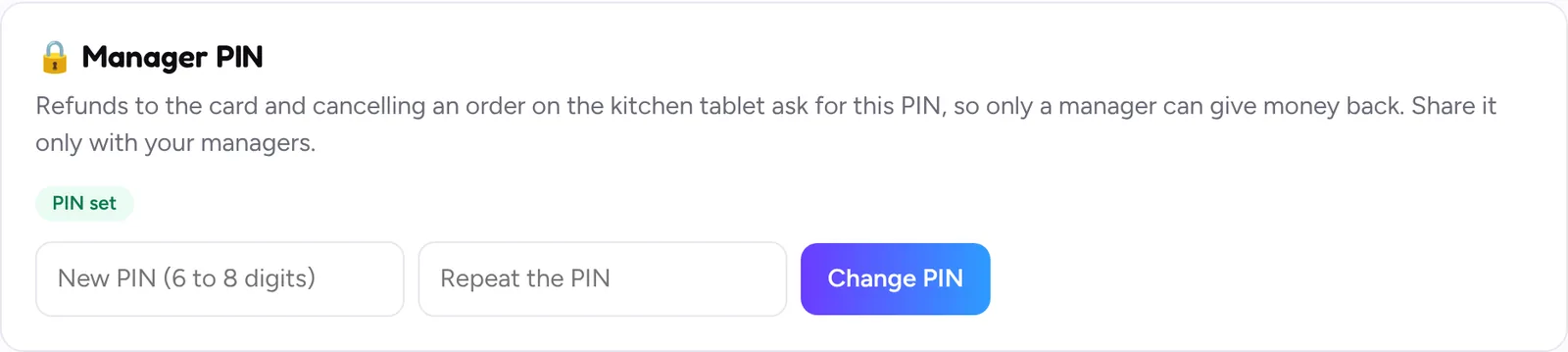
- Open Kitchen screen > Manager PIN.
- Type a PIN of 6 to 8 digits twice and save. Avoid easy ones like 111111 or 123456: they are refused.
- Share it only with the owner and trusted managers.
2. Give each manager their own PIN
With a PIN per person, every refund, cancel and credit shows who did it (for example “kitchen (PIN of Maria)”), and when someone leaves you remove only their PIN.
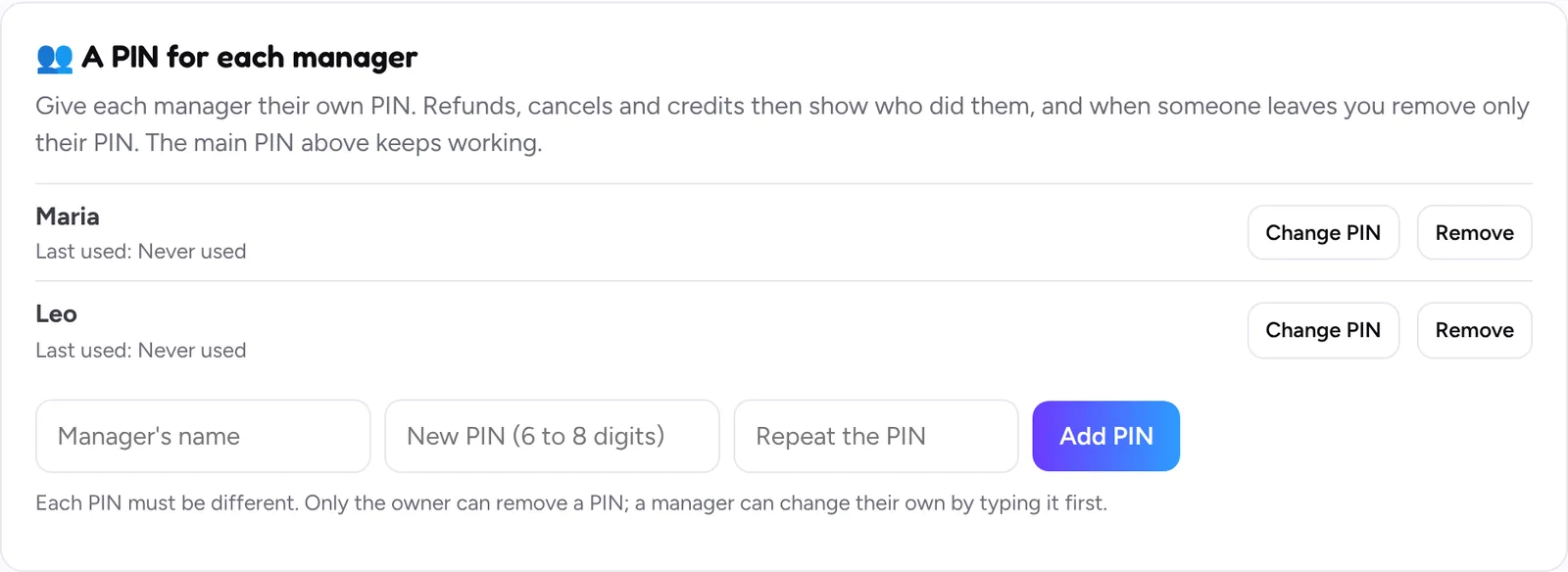
- In A PIN for each manager, write the manager’s name and a new PIN twice, then click Add PIN.
- Up to 10 manager PINs. Each PIN must be different from the others.
- Last used shows when each PIN was used.
Change, remove or forget a PIN
- A manager changes their own PIN by typing their current PIN first.
- Only the owner can remove a manager’s PIN.
- Forgot the main PIN? The owner sets a new one in the same card.
Wrong PINs
After 5 wrong PINs, refunds, cancels and credits lock for 15 minutes; after 20 in one day, until the next day. You get a security alert by text. The owner can unlock right away by setting a new main PIN.
Still stuck? Write to [email protected] with your restaurant name and we’ll get back to you.